
October 12, 2026
This week, we made it easier to keep assets and context updated.
Connections: Keep your docs and context graph in sync
Connect Notion, Google Drive, live webpages, and published Octave assets—or upload files and paste text. Octave checks them weekly and creates pre-loaded Suggestions when it finds significant differences.
- One-way sync: Only update the context graph based on changes to a doc or site.
- Two-way sync: Octave can also update connected docs when your library changes.
Chat with Ask Octave about your Google Docs
If you love chatting with Ask Octave (chat) to manage your context graph, you can now paste a Google Doc link into the chat to ask questions about it, use it to update context, or include it in an insights analysis.
Octave uses your workspace’s connected Google Drive to access the doc, reads only the tab specified in the link. This is read-only, and the doc stays out of your shared library (unless you add it as an official Connection).
See what changed between asset versions
Compare any two versions of a hosted page side by side, with additions, removals, and wording changes highlighted. See what a teammate or agent changed before approving an update or restoring an earlier version.
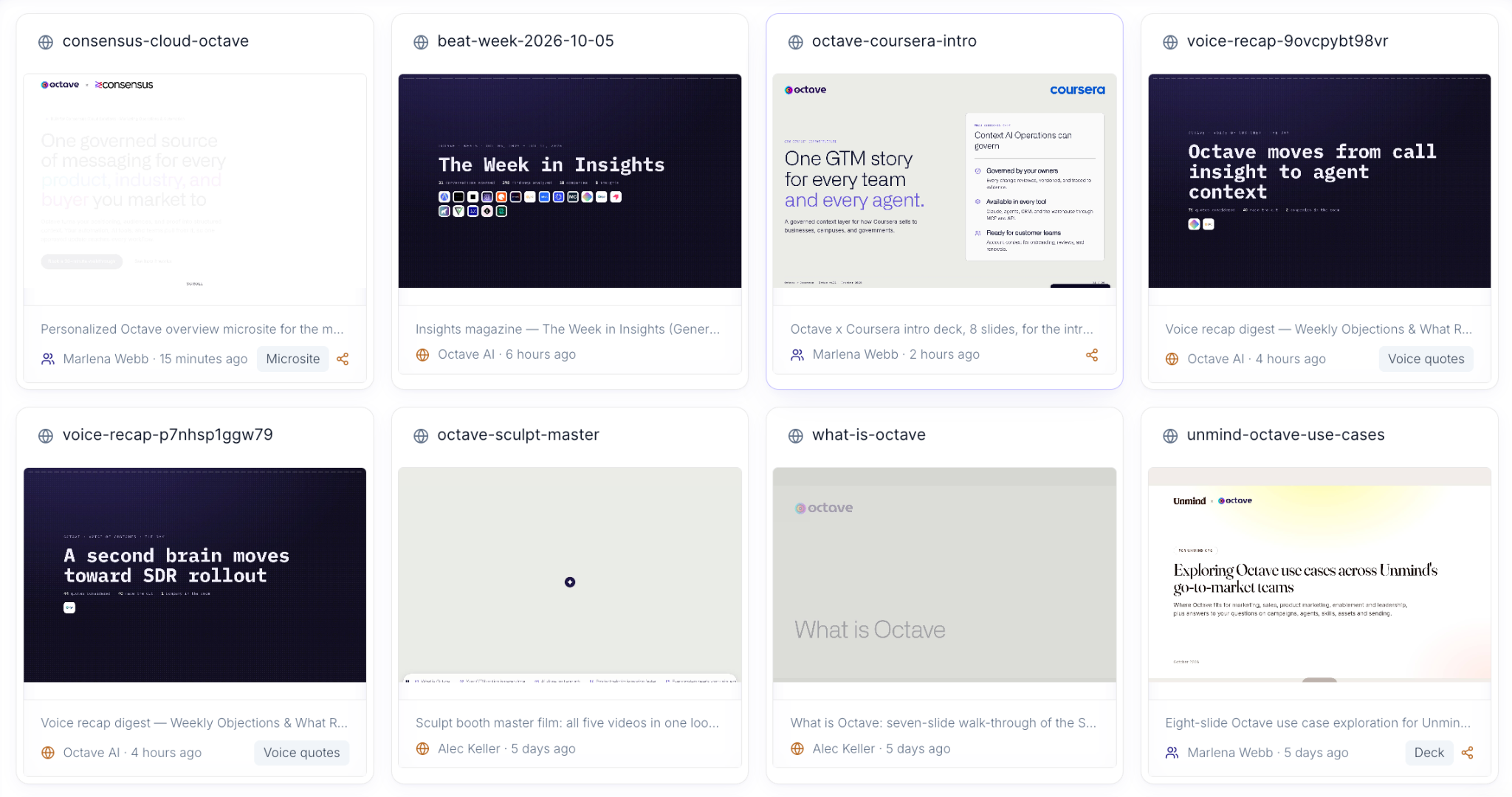
Gallery view for shared assets in Octave
Visit Assets to browse and search your team’s assets in a gallery, with thumbnails to help you find what you need.
September 28, 2026
Cohorts: Compare win rates across groups of deals, by conversation topic
Compare two groups of deals based on what came up in their conversations — for example, whether they’re considering specific competitors or planning to build a solution in-house. See which group has a higher win rate, how large the difference is, and a confidence score.
Filter customer feedback by customer type and call purpose
Narrow the Voice tab to show quotes from specific types of conversations, such as discovery calls with new customers.
Unified event analytics
AI assistants and custom integrations can now get conversation analytics on counts, rankings, detailed breakdowns, and trends over time in a single request.
Automatically remove duplicate recordings
When multiple tools record the same meeting, Octave now keeps only the longest recording so the conversation counts once. This is on by default for new recordings, but your existing duplicates stay unchanged.
See which library updates are substantial
Your library’s change history now labels saved edits as “none,” “minor,” or “material,” so you can quickly distinguish a small correction from a substantial rewrite.
Build new library items from what Octave already knows
When you manually create a new entity in Octave, like a persona or competitor, Octave speeds up the process by checking whether it has already created a suggestion for that entity. You can choose to use that suggestion as-is, edit it, or start from scratch. For competitors and reference customers, Octave shows you that company’s recent activity to use as additional source material.
2020- September 2026
Shipped Octave, the context graph that learns.
